+966 11 208 6999
Learning resourcesBlogBook a meeting
MstndMstnd logoMstnd logo
Home
PricingWhy Mstnd?Contact us
Try free nowGo to Mstnd
Direct scanning

From the sheet to its folder in the system in one step

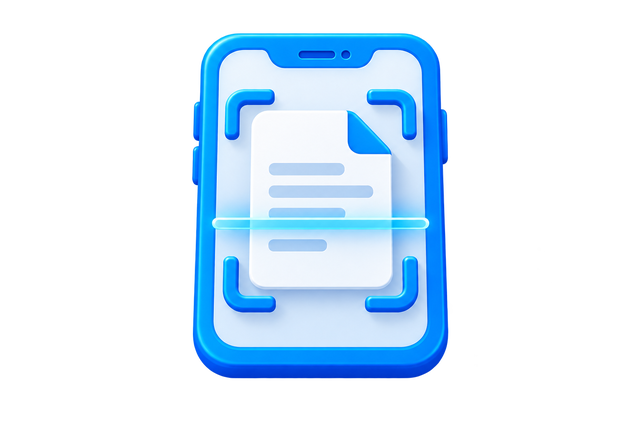
Traditional scanning produces a file on a device that is then moved, named and uploaded by hand, with room for an error or a delay at every step. Mstnd shortens the path: choose the destination folder, open the camera and capture the document's pages, and they are gathered into one file saved in place.

The document takes its number from the folder's numbering pattern, and the smart document agent Faheem starts processing it: reading its text with OCR so it is searchable from the first moment.
See direct scanning in MstndStart free
Capturing a paper document page with the phone camera straight into its folder in Mstnd

How does direct scanning work in Mstnd?

The user chooses "Create new file" from the phone browser, picks the destination folder from the organizational structure or their personal space, then opens the camera and captures the paper document's pages one after another. Mstnd gathers the pages into one PDF file, saves it in the folder directly, gives it its automatic number, and the document agent processes it by reading its text with OCR so it enters search. The file never passes through an intermediate device and needs no manual naming or moving.

Demo

See Direct scanning inside Mstnd

Capture the document's pages with the phone camera and they are saved as one file straight into its folder in the system, with no moving or renaming by hand.

The challenge

A receptionist receives a paper letter. They scan it on the printer, the file lands in their inbox as SCAN_0042, they save it to the desktop, rename it, then upload it to the right folder if they remember. Four steps for every sheet.

How Mstnd solves it

Straight from the right folder, the employee captures the letter's pages with the phone camera, and they are saved as one file in place with its automatic number and searchable text. One step, with no intermediate files.

The result

Paper that enters the digital archive the moment it arrives, with consistent numbers and searchable content.

Direct scanning

The steps in between are where things get lost

Between the scanner and the right folder live files with machine names on desktops and in inboxes. Some are uploaded late, some to the wrong folder, and some never. What is not uploaded cannot be searched or tracked.

When scanning starts from inside the folder itself, the file is born in the right place, inherits the folder's permissions and numbering pattern, and enters search and reports immediately.

Approved

What direct scanning offers

Capture from the phone browser

Open Mstnd in the phone browser, choose "Create new file", and open the camera to capture the pages. Review each shot and retake it if needed before adding it.

Multiple pages in one file

Capture the first page, then choose "Add another page" until the document is complete, and all pages are gathered into one PDF in order.

Saved in the chosen folder

Scanning starts by picking the destination folder from the organizational structure or your personal space, so the file is saved there directly with its permissions and numbering pattern, with no moving or renaming.

Immediate processing by the document agent

After saving, the smart document agent Faheem reads the text with OCR in Arabic and English, so the document's content can be searched and its metadata extracted.

From the desk scanner too

Files from desk scanners are uploaded to the same folder by drag and drop, so there is one path for everything that arrives on paper.

Direct scanning

Situations direct scanning suits

  • Incoming letters when they arrive at reception.
  • Contracts signed after a meeting outside the office.
  • Invoices and supply documents on receipt.
  • Employee certificates and documents at hiring or training.
  • Meeting minutes and paper signatures.
  • Gradual digitization of the old paper archive.
Approved
Real-world example

A training department employee returns from an external program with a paper completion certificate. They open Mstnd on their phone, choose "Create new file" and pick the certificates folder, then open the camera and capture the page. The file is saved in the folder with its automatic number, and the document agent starts processing it. Before the employee reaches the office, the certificate is archived, searchable and available to the department manager.

Frequently asked questions

Do I need a desk scanner?

No. The phone camera is enough for direct scanning, and desk scanners can be used when needed to upload their files to the same folders.

Can a multi-page document be scanned into one file?

Yes. Pages are captured one after another and gathered into one file in order before saving.

Does the scanned document become searchable?

Yes. The smart document agent Faheem reads its text with OCR in Arabic and English after saving, so its content can be searched and its metadata filled from it.

Where is the file saved after scanning?

In the folder you chose when starting the scan, with that folder's permissions and its automatic number, without passing through an intermediate device or inbox.

What if a shot is not clear?

Every page is shown for review after it is captured, and it can be retaken before being added to the file.

Let every sheet enter the archive from its right place.

Book a demo of direct scanning in MstndStart free

Related features

AI SearchAuto-numbering and barcodesElectronic Archiving
Mstnd logo

A cloud system for AI document and enterprise content management, built for companies and organizations in Saudi Arabia.

Product

  • Features
  • Pricing
  • Industries
  • Scanning & digitization
  • Integrations
  • Why Mstnd?

Support

  • Contact us
  • Contact Sales
  • Book a meeting
  • Learning resources

Company

  • About
  • Blog

Legal

  • Security
  • Compliance & Accreditations
  • Privacy
  • Terms

Information

Unified Company Number
7037370603
National Address
RADC3385, Al Nada District, Riyadh 13317
Detailed Address
3385 Al Thumamah Street, Building 8398, Saudi Arabia

Accreditations & Partners

Communications, Space & Technology Commission
Saudi Business Center
National Data Management Office (NDMO)
Digital Government Authority (DGA)

All rights reserved © 2026 Unique Content for Information Technology

LinkedInXInstagramYouTubeTikTok
Developed byUC Tech logo
Chat with us on WhatsApp